Run complete environments on-prem or in the cloud
virtuOSo is a VM-based infrastructure platform with built-in orchestration, automation, and AI-assisted operations — all in one control plane.
virtuOSo is a VM-based infrastructure platform with built-in orchestration, automation, and AI-assisted operations — all in one control plane.
Instead of piecing together separate tools for virtualization, orchestration, cloud, and automation, virtuOSo keeps the entire workflow in one system.
A complete VM management platform spanning on-prem and cloud. Run it on a single server or scale to AWS.
Manage on-prem KVM and AWS EC2 instances from the same dashboard. Launch cloud VMs alongside your homelab with unified controls.
One-click deployment of Kubernetes clusters, Docker hosts, Gitea, and PostgreSQL and MySQL databases. Scale K8s workers up and down from the UI.
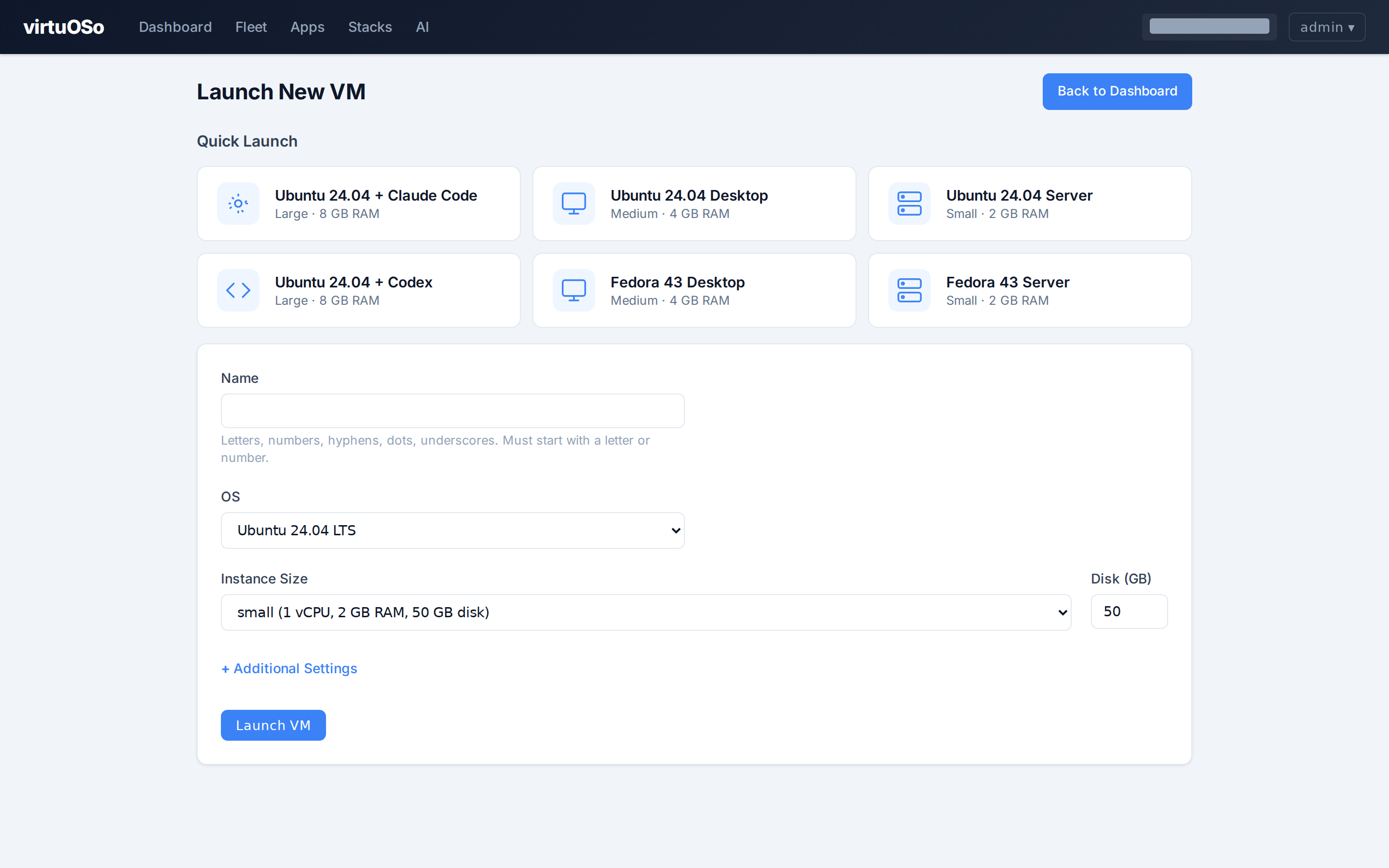
Spin up a VM in one click with pre-configured defaults. The fastest way to get a test environment running.
Define multi-VM deployments as YAML templates. Deploy and tear down entire environments together.
Infrastructure-as-code for your homelab. Manage VMs, SSH keys, and access grants with Terraform.
SSH shell, serial console, and VNC desktop — all from your browser. No client software needed.
Boot from cloud images, uploaded ISOs, or QCOW2 disk images. Full support for Linux and Windows guests with automatic device model selection.
Built-in Tailscale integration for secure remote access to your VMs from anywhere. Connect your server to a tailnet with one click.
Use Claude Code or OpenAI Codex from the built-in chat UI. virtuOSo exposes typed VM tools over MCP for agent-driven infrastructure.
A clean, intuitive interface for managing your entire VM fleet from the browser.
See every server from one place
Cloud images download automatically. Upload custom ISOs or QCOW2 disk images for any OS, including Windows.
| Size | vCPUs | Memory | Default Disk |
|---|---|---|---|
micro | 1 | 1 GB | 50 GB |
small | 1 | 2 GB | 50 GB |
medium | 2 | 4 GB | 50 GB |
large | 2 | 8 GB | 100 GB |
xlarge | 4 | 16 GB | 100 GB |
2xlarge | 8 | 24 GB | 200 GB |
3xlarge | 8 | 32 GB | 200 GB |
4xlarge | 16 | 64 GB | 500 GB |
Define multi-VM environments as simple YAML templates. Launch, update, and tear them down as a single unit.
One definition. Multiple VMs. Fully wired together at deploy time.${vm.name.ip} and ${secret.KEY} to inject runtime values before dependent VMs boot.
vms:
  - name: database
    os: ubuntu-24.04
    size: medium

  - name: web
    os: ubuntu-24.04
    size: small
    depends_on: [database]
    user-script: |
      # Injected before the VM boots
      echo "DB_HOST=${vm.database.ip}" >> /etc/environment
database starts firstweb starts next with DB_HOST already configuredChoose the control surface that fits the job: direct API calls, Terraform plans, or AI assistants connected through the built-in MCP server.
Complete VM lifecycle management via JSON endpoints. Create API keys from the web UI and use them with any HTTP client.
import requests

API = "https://your-server/api/v1"
KEY = "vmk_..."
s = requests.Session()
s.headers["Authorization"] = f"Bearer {KEY}"

# Launch a VM
resp = s.post(f"{API}/vms", json={
    "name": "web-01",
    "os": "ubuntu-24.04",
    "size": "medium",
})
print(resp.json())
Declare your infrastructure in HCL. The provider manages VMs, SSH keys, and access grants with full lifecycle support.
resource "virtuoso_vm" "web" {
  name      = "web-server"
  size      = "medium"
  os        = "ubuntu-24.04"
  disk_gb   = 40
  ssh_key   = virtuoso_ssh_key.deploy.public_key
  started   = true
  autostart = true

  user_script = <<-EOT
    apt-get update
    apt-get install -y nginx
  EOT
}
virtuoso_vm
virtuoso_ssh_key
virtuoso_vm_access
The built-in AI Assistant supports Claude Code and OpenAI Codex.
Hello! I'm your virtuOSo AI assistant.

I can help you manage VMs, generate Terraform configs, create Stack definitions, and more.

What would you like to do?
Claude Code
OpenAI Codex
15 MCP tools
Built-in Tailscale integration for secure remote access to your VMs from anywhere. Connect your server to a tailnet and route VM subnets automatically.
Credentials stay out of AI responses, delete protection is respected, and ambiguous destructive prompts are treated as conversation instead of bulk VM operations.
Guard important VMs against accidental deletion. Protection must be explicitly disabled before a VM can be removed.
Run custom scripts on first boot. Inject encrypted secrets into VMs at deploy time with AES-256-GCM encryption at rest.
virtuOSo ships as a bootable ISO for on-prem servers. Install on dedicated hardware and manage VMs from your browser in minutes. Optionally connect AWS for hybrid cloud.
System Requirements: x86_64 CPU · UEFI boot · 16 GB+ RAM · SSD recommended
Warning: installing erases a whole disk. The installer selects the disk and wipes it without asking. Use a dedicated machine and back up anything you want to keep.
Download the ISO (3.3 GB), write it to a USB drive and boot your server from it. The install runs unattended.
On first boot, the console login screen shows the password generated for the admin account. Open https://<server-ip> in a browser and sign in.
Click Launch, pick an OS and size, and your VM will be running in seconds. Use Quick Launch for one-click creation.